
Building a Beacon Tour for a Historic District (Without Drilling a Single Hole)
How we built a Bluetooth beacon-guided tour app for a nineteenth-century historic district. Hardware constraints, signal bleed, iOS background limits, and what we'd do differently.
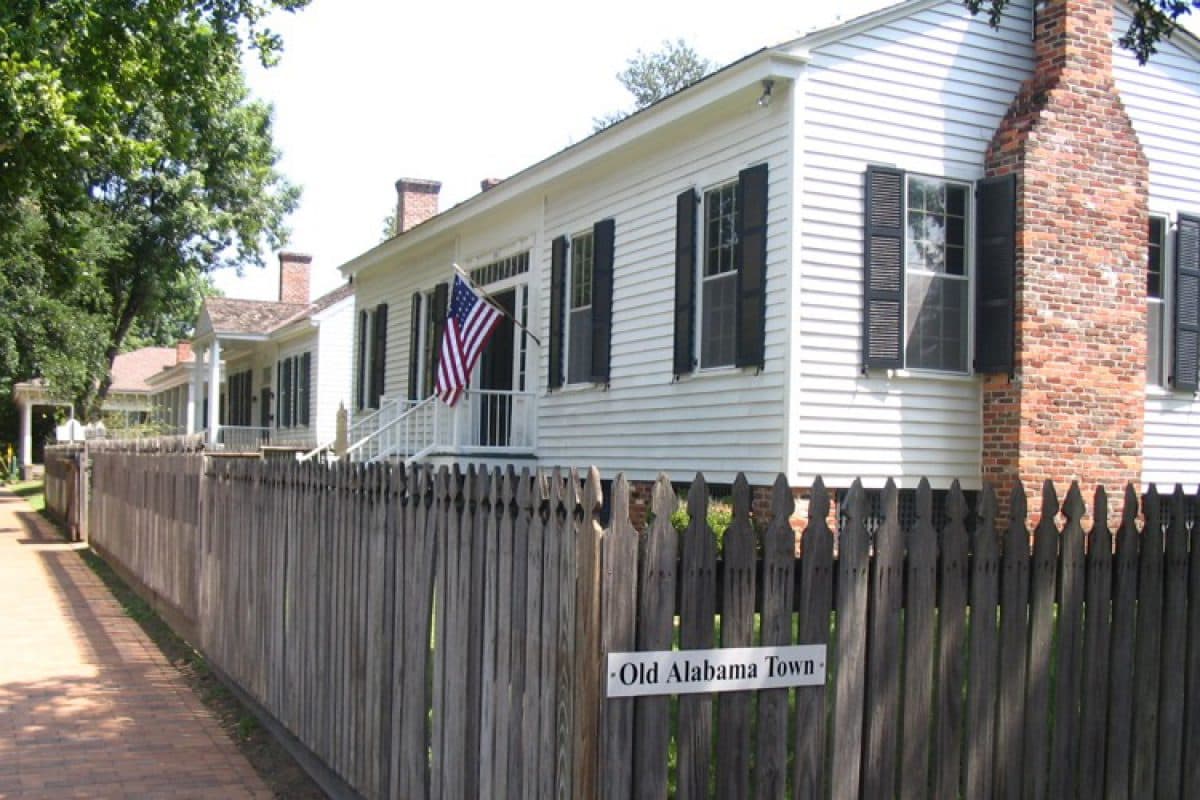
A builder's log from Old Alabama Town: what a coin-cell radio and a nineteenth-century wall taught us about proximity, and why the app was the easy half.
Most self-guided tours are still paper. A map, a numbered sheet, and a visitor squinting between the two while standing in the sun.
The obvious fix is an app. The non-obvious part is that at a historic site, the app is the easy half. The buildings are the exhibit, and the exhibit is the constraint.
This is how we built a beacon-guided tour for Old Alabama Town, a restored nineteenth-century district in downtown Montgomery, and what the hardware taught us along the way.
The constraint that eliminated most of the options
You cannot drill into a nineteenth-century building.
That single rule kills a surprising amount of the standard playbook. No mounted hardware. No wired sensors. No powered kiosks. No signage bolted to a wall. Nothing that leaves a mark when it comes down, and nothing a visitor can see while it's up.
It also rules out the lazy solution, which is GPS. Outdoor GPS lands you within roughly five to ten meters on a good day, and in a dense district that's the difference between the right building and the one across the path. It's worse near masonry and worse again under tree cover. A tour that tells you about the wrong house is worse than a paper map, because the paper map was at least honest about making you do the work.
QR codes were the other candidate and they have one fatal property: they require the visitor to do something. Find the code, open the camera, aim, tap. Every one of those steps is a place where an eighty-year-old visitor in July gives up and goes back to the desk.
We wanted the tour to happen without being asked for.
Why beacons
A Bluetooth Low Energy beacon is a coin-cell transmitter that does exactly one thing: it shouts a short identifier a few times per second, forever, into the air around it. It is not connected to anything. It has no network, no power run, no data.
That property is what made it viable here. A beacon can go up on museum-safe adhesive, run for years on its own battery, and come down leaving nothing behind. Twelve of them across the district turned out to be enough coverage.
The phone does all the actual work. It listens for identifiers it recognizes, decides which one it is closest to, and surfaces the matching content. The visitor walks up to a building and the history is already on their screen. No stop number, no scan, no typing.
What the hardware actually does to you
Here is the part the vendor documentation is quiet about.
Signal strength is not distance. Beacons report RSSI, which is a measure of received signal power. Everyone's first instinct is to convert it to meters. Resist that. RSSI is affected by walls, bodies, weather, phone orientation, and whether the visitor has the phone in a pocket. Two people standing in the same spot can get readings that differ by a wide margin. Treat RSSI as a rough proximity band, not a coordinate.
Adjacent stops bleed into each other. In a walkable district, buildings are close together by definition, which means beacon ranges overlap. Left alone, the app flickers between two stops while the visitor stands still. The fix is not stronger hardware, it's hysteresis. Require a signal to hold for a dwell period before you switch stops, and require a wider margin to switch away than to switch in. Flicker is the single most common reason beacon apps feel broken, and it is entirely a software problem.
iOS and Android disagree about background scanning. iOS gives you region monitoring that survives backgrounding, but caps the number of regions an app can monitor at once and rate-limits how often it reports. Android throttles background BLE scans aggressively to protect battery, and the behavior differs by OEM. Design for the foreground case and treat background detection as a bonus, not a feature you promise.
Battery life is a maintenance schedule, not a spec. A coin cell at a modest broadcast interval lasts a long time, but "a long time" is not "forever," and the failure mode is silent. A dead beacon does not throw an error. It just stops existing, and the stop quietly disappears from the tour until someone notices. Plan for battery replacement the way you'd plan for changing a smoke detector.
Placement is physics, not convenience. Bluetooth is attenuated by exactly the materials historic buildings are made of. Thick masonry, plaster, and metal all eat signal. Where a beacon goes changes the coverage more than what beacon you buy. We placed and tested all twelve on site rather than shipping a kit with instructions, and several ended up somewhere other than where the plan said.
The part that isn't the app
Two decisions mattered more than any of the engineering.
Content has to be editable by the people who own it. The original tour was laminated, which meant the content was frozen at the moment it went through the machine. Rebuilding that in software would have been a failure with better graphics. Staff manage descriptions, audio, and stop configuration themselves through a web portal. No developer, no ticket, no reprint.
The front desk is the real install target. Whoever sells the ticket is the person who has to explain the app, and no software survives contact with a busy front desk unless that person is confident. We trained staff on site and left printed reference sheets at the desk. Nobody writes about this in a technical post and it determines whether the thing gets used.
What we'd do differently
Test placement in the weather you'll actually get. Signal behavior changes with humidity and with crowds, and an empty site on a clear morning is the easiest possible test case.
Instrument for silence. We'd want a way to notice a beacon that has stopped reporting before a visitor does.
And decide early whether background detection is a promise or a nice-to-have, because that choice propagates into the entire UX.
When beacons are the right call
Beacons win when you need indoor or fine-grained outdoor proximity, when you can't run power or network, when installation must be reversible, and when the interaction has to be passive. Museums, historic sites, campuses, galleries, large facilities.
They're the wrong call if you need real positioning rather than proximity, if you need device-to-device certainty, or if a QR code would genuinely be fine. Plenty of the time a QR code is genuinely fine.
For a compact historic district where the exhibit is the building itself, it was the only approach that respected both the visitor and the site.
We built this for the Landmarks Foundation at Old Alabama Town. If you run a site, museum, or campus where visitors still navigate on paper, we build custom apps and software for places like yours without touching the building. Read the Old Alabama Town story. Ask us about your site